Mouse Raycasting Derivation
18th August 2026
Summary: This article outlines a derivation for a simple way to cast a ray in world space through a mouse position on the screen, allowing for mouse picking, shooting gameplay, etc.
I read an interesting blog post outlining a very simple way to cast a ray through a given mouse position in screen space: Mouse Raycasting by Diego Sainz-Pardo Laso. This is a very short and convenient formula compared to the mentioned alternative method of transforming a ray in projection space to world space using many matrix multiplications. The author didn't make it clear how to derive the new method used so I figured it out and will share it here.
First, a diagram of the problem space - for a given position on the screen (Mouse Pos) we want to construct a ray (Mouse Ray) that starts at the camera position and passes through the equivalent position on the near plane of the camera frustum:
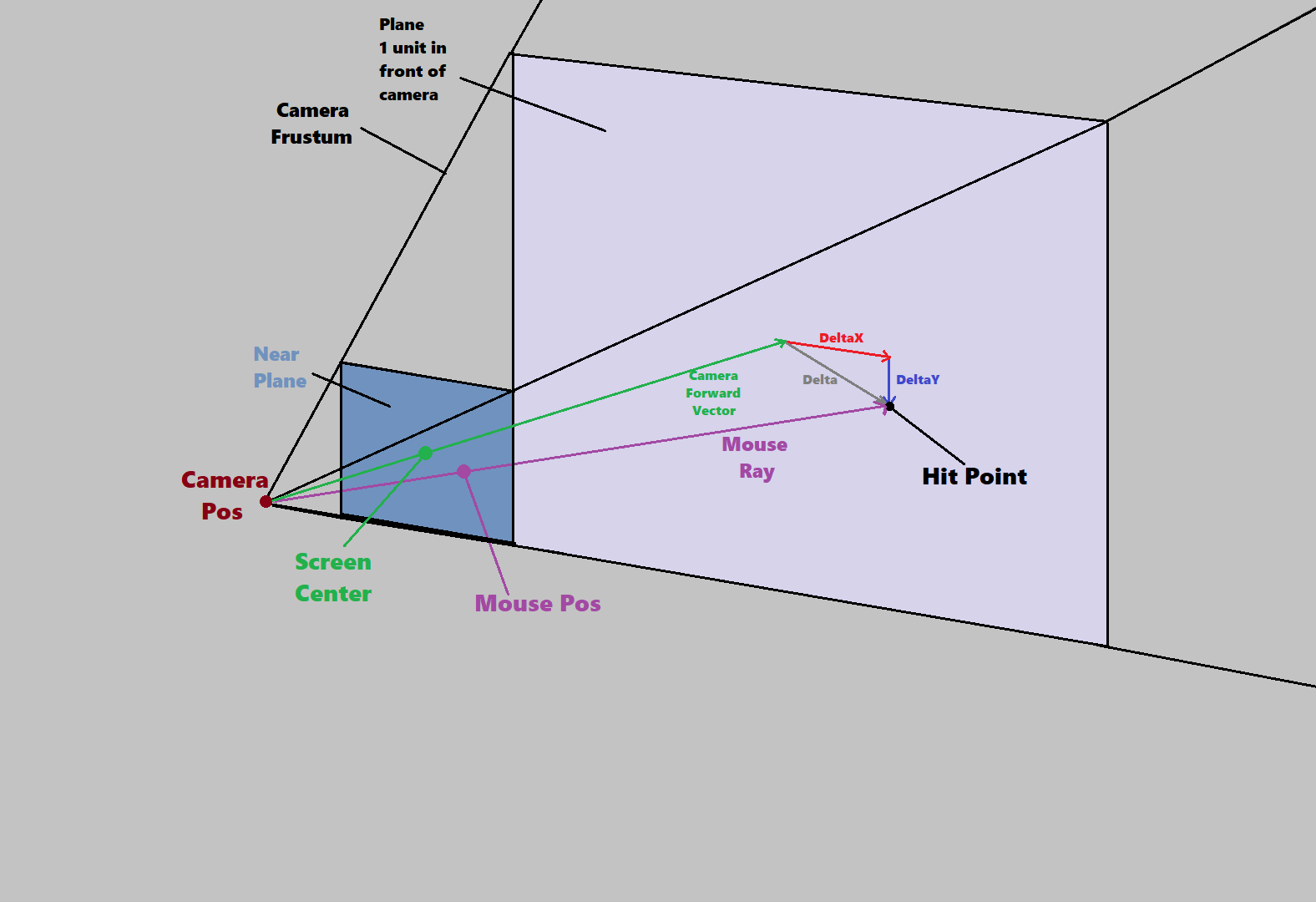
Consider the Camera Forward Vector - this is a unit vector travelling from the camera position (Camera Pos) through the center of the frustum. At the end of this vector we construct a plane that is aligned with the near plane. Let's call the point at which Mouse Ray hits this plane Hit Point. The vector from Camera Pos to Hit Point can be expressed as Camera Forward Vector plus some unknown vector Delta that lies on the plane. If we can calculate Delta we can construct this vector and normalise it to get our Mouse Ray.
To solve this problem we split Delta into a horizontal and vertical component (DeltaX and DeltaY, which are parallel to the camera's Right and Up vector respectively). We can derive a formula for each of these values. First, let's draw the scene from the top down to help find DeltaX:
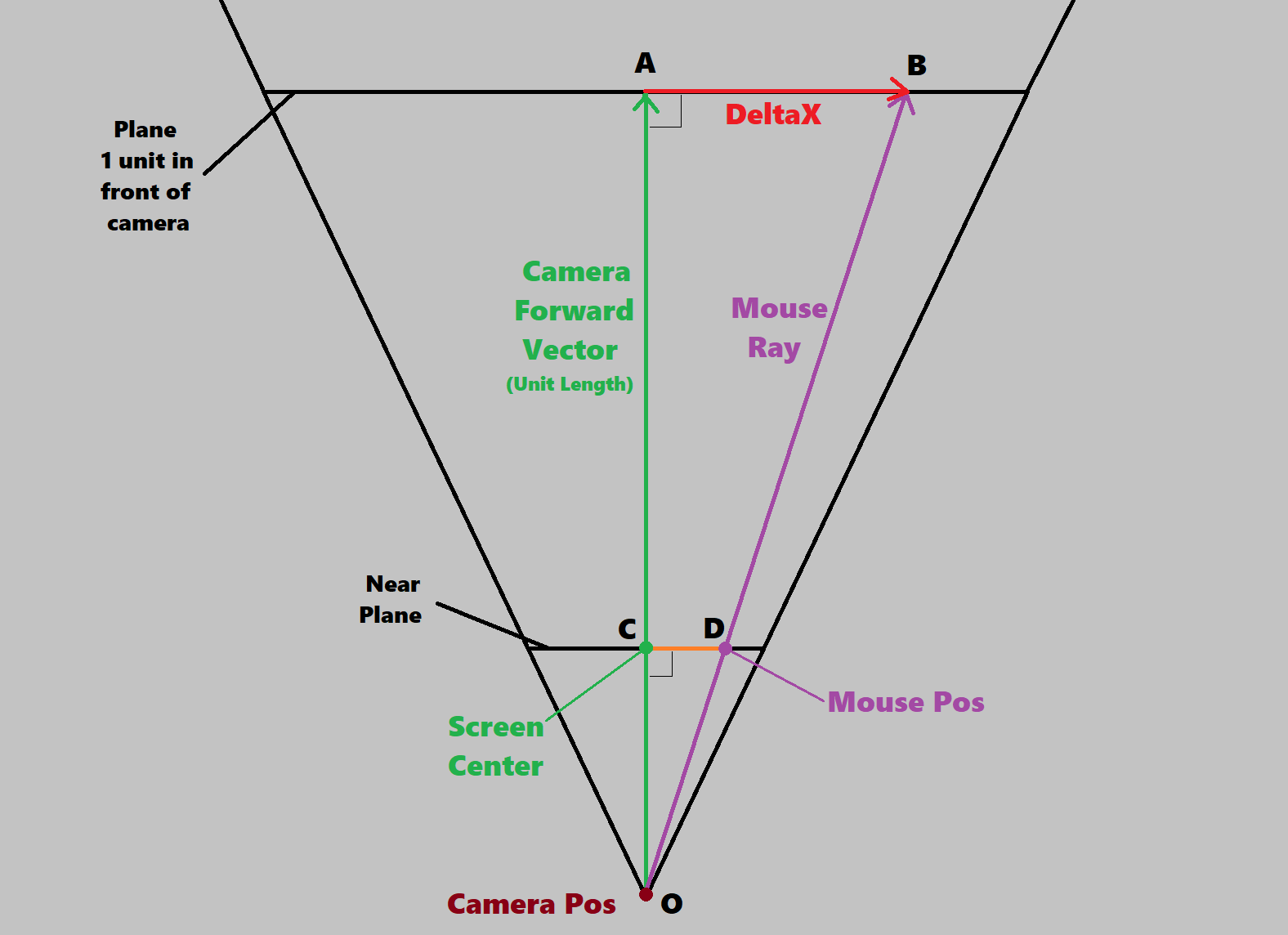
Triangles OAB and OCD are right-triangles sharing an angle therefore their sides are in the same ratio: AB/OA == CD/OC
OA is 1 (the length of the camera's forward vector) and can be removed from the equation. OC is the distance of the frustum's near plane from the camera (specified when calculating the perspective projection matrix) which we will call nearZ. AB is our unknown DeltaX so all that remains is to calculate CD. Here's a diagram showing only that part of the problem:
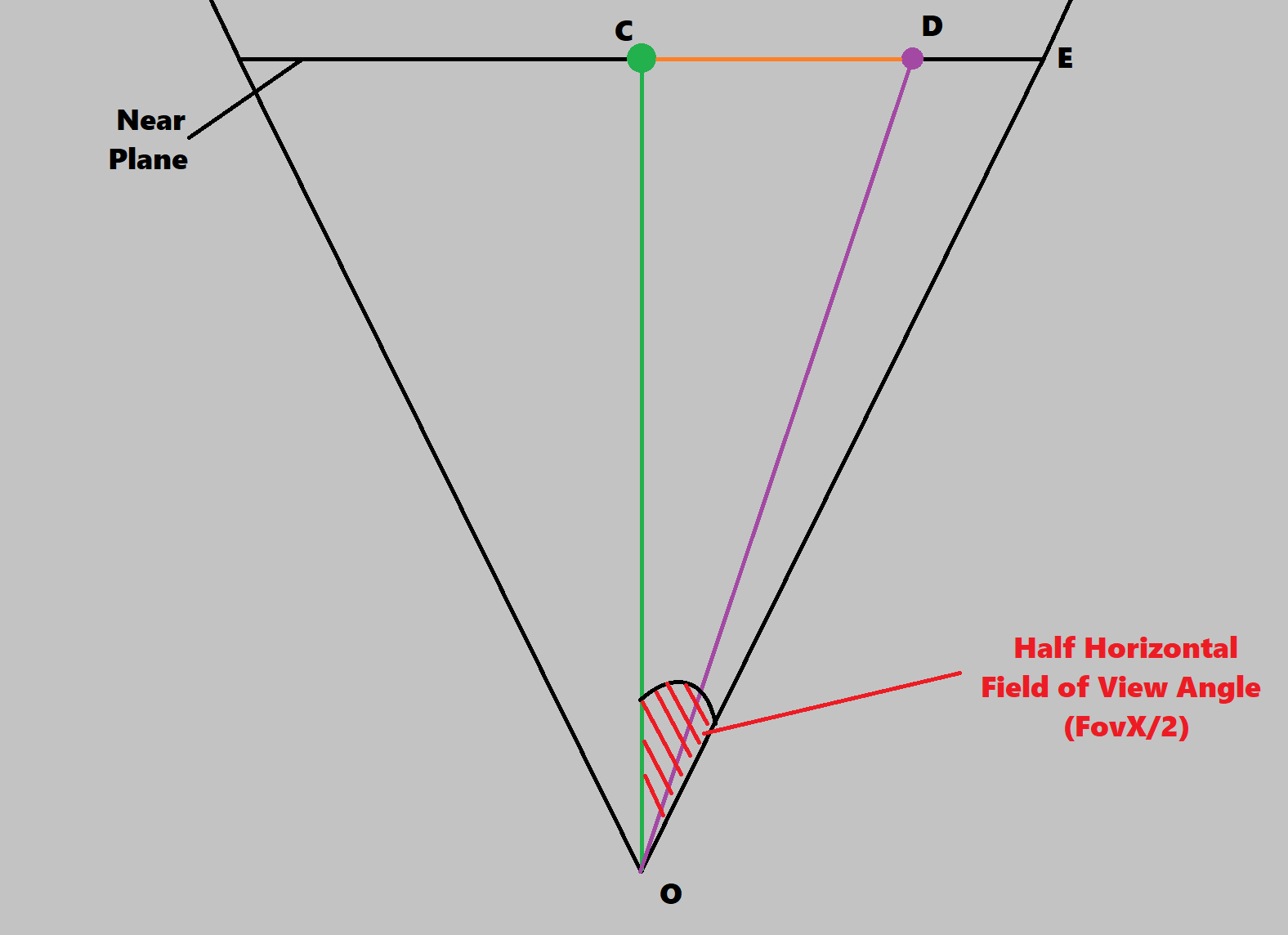
We already have some information about the length of CD - the mouse position is usually given in normalised device coordinates (we'll call this value MousePosNDC), which go from -1 to 1 on the x- and y-axis irrespective of screen dimensions. This means we have a value of CD expressed as a fraction of CE, half the width of the frustum's near plane. We know the angle between OC and OE, it's half the camera's horizontal field of view so we can calculate CE and express CD (or DeltaX from the first diagram) in those terms:
tan(FovX/2) = CE/OC
=> CE = tan(FovX/2)

CD = MousePosNDC.x * CE
=> DeltaX = MousePosNDC.x * tan(FovX/2)
We can do the same derivation for DeltaY by looking at the problem from the side and using the same trigonometry:
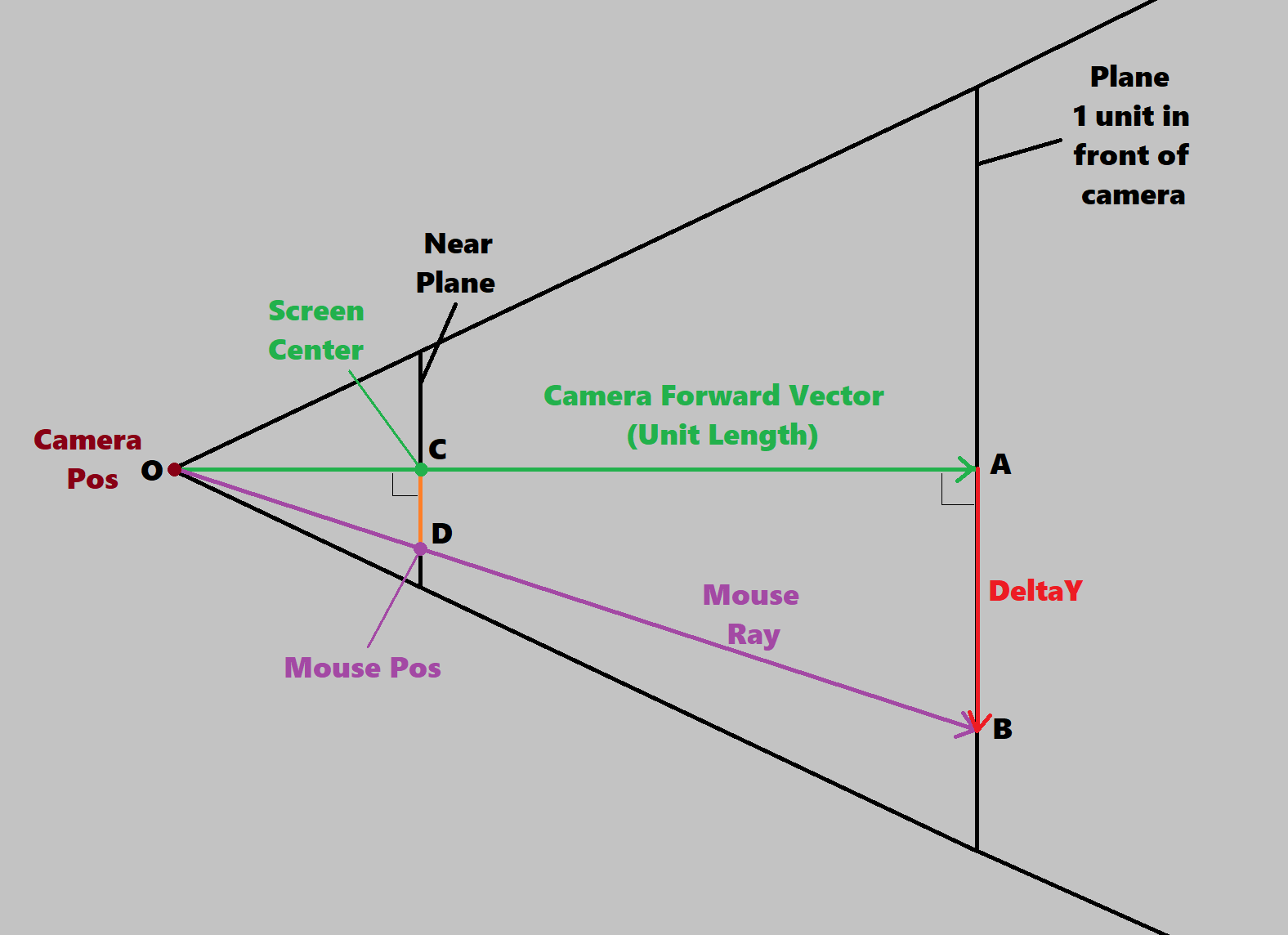
Following the same procedure as before we can derive DeltaY. The two calculations are therefore:
DeltaX = MousePosNDC.x * tan(FovX/2)
DeltaY = MousePosNDC.y * tan(FovY/2)
Note that we have two different field of view angles here - in graphics programming we only ever define one and express the other with the relationship:
FovX = FovY / AspectRatio
where AspectRatio is ViewportWidth/ViewportHeight. People often use FovY (because historically that's what old graphics APIs expected when you configured the fixed function pipeline) but if you want the field of view to be adjustable by users/designers it's better to use the much more intuitive FovX and convert, but either will work.
FovY = FovX * AspectRatio
Finally here's the pseudocode for the full process. Note that this function works for any point on the screen (not necessarily the mouse position) so I call the point ndcPos instead of mousePos. Thanks again to Diego for the original blog post.
struct Ray
{
    vec3 origin;
    vec3 dir;
    float length;
};

Ray getRayThroughScreenPos(
    vec2 ndcPos, // Position on screen in NDC (-1 -> 1)
    vec3 camPos, // Position of camera in world space
    vec3 camFwd, // Forward vector of camera
    vec3 camUp,  // Up vector of camera
    vec3 camRight, // Right vector of camera
    float fovX,   // Horizontal field of view of camera (in Radians)
    float aspectRatio
    )
{
    float tanHalfFov = tanf(0.5f * fovX);
    vec3 deltaX = camRight * tanHalfFov * ndcPos.x;
    vec3 deltaY = camUp * (tanHalfFov / aspectRatio) * ndcPos.y;
    Ray ray;
    ray.origin = camPos;
    ray.dir = normalise(camFwd + deltaX + deltaY);
    ray.length = 1.f;
    return ray;
}